If you deal with back pain at your desk, the wrong office chair can make every workday feel longer. A bad chair can force your spine into awkward positions, put pressure on your lower back, encourage slouching, and make it harder to stay comfortable for more than an hour or two. On the other hand, the right office chair can support better posture, reduce pressure, and make long sitting sessions much more manageable.
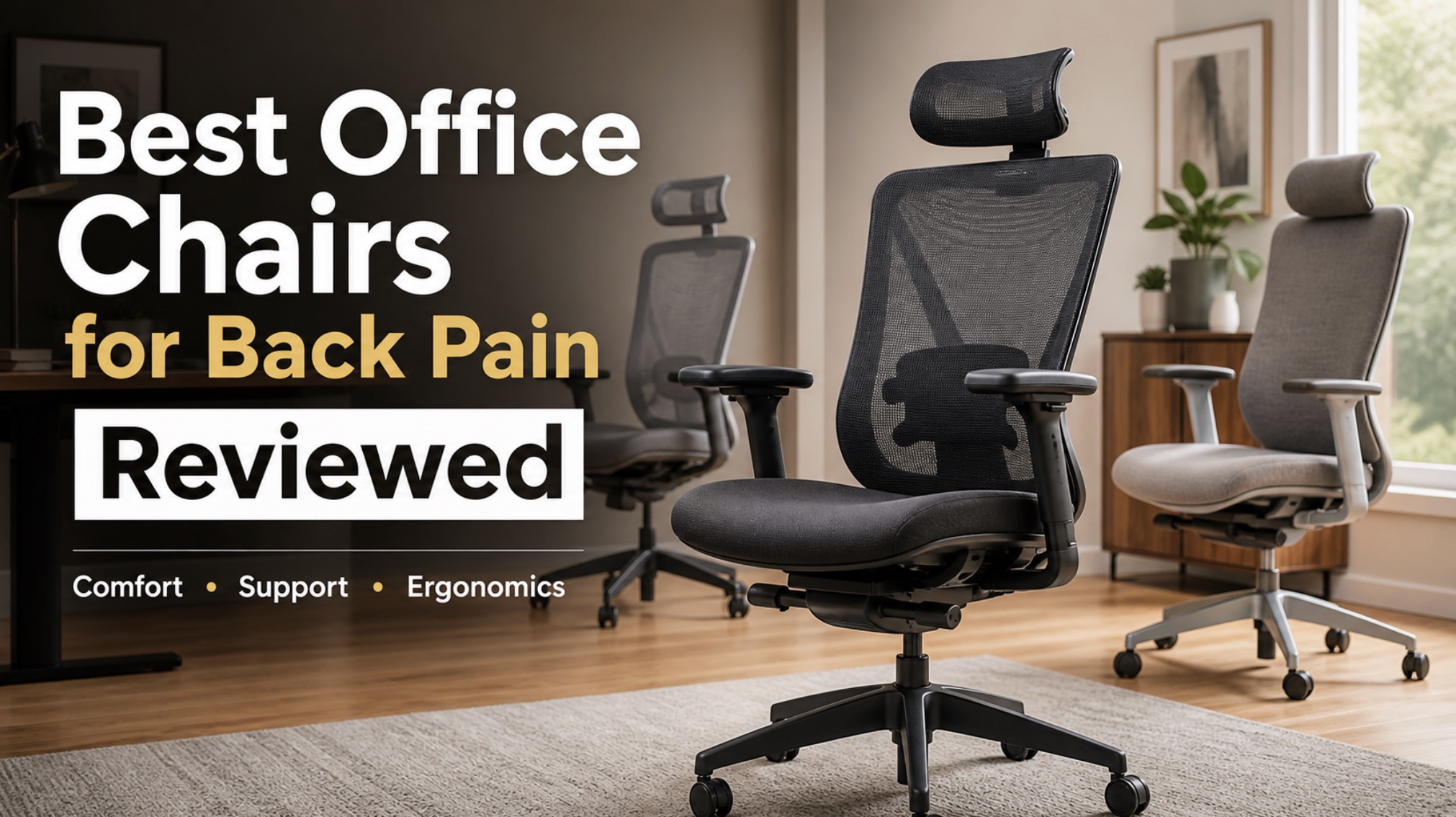
The problem is that “good for back pain” gets used far too loosely in chair marketing. A thick cushion alone does not make a chair supportive. A mesh back alone does not make it ergonomic. What matters is how the whole chair works together: lumbar support, seat depth, backrest shape, recline behavior, armrest adjustment, and how well the chair fits your body.
That is why a more practical approach makes more sense than just listing random ergonomic chairs. If you are comparing real options, it helps to browse ergonomic office chairs for back pain, office chairs with lumbar support, and high-back ergonomic office chair options so you can see the major categories side by side.

TRALT Office Chair Ergonomic Desk Chair with Lumbar Support Black, 1 | 330 LBS Home Office Desk Chairs with Headrest, Reading Chair with Flip-up Armrests, Comfortable Computer Chairs Gaming Chair
CAPOT Ergonomic Mesh Office Chair, Adjustable Lumbar High Back Desk Chair 400lbs, 4D Flip-up Arms, 3-Level Tilt Backrest, 3D Headrest, PU Wheels, Swivel Rolling Computer Chair for Long Desk Work

GABRYLLY Ergonomic Office Chair, High Back Home Desk Chair with Headrest, Flip-Up Arms, 90-120° Tilt Lock and Wide Cushion, Big and Tall Mesh Chairs for Man Woman, Black Task Chair
This guide breaks down what actually matters if your goal is less back strain, better support, and a chair you can realistically sit in for hours without regretting it.
What Makes an Office Chair Good for Back Pain?
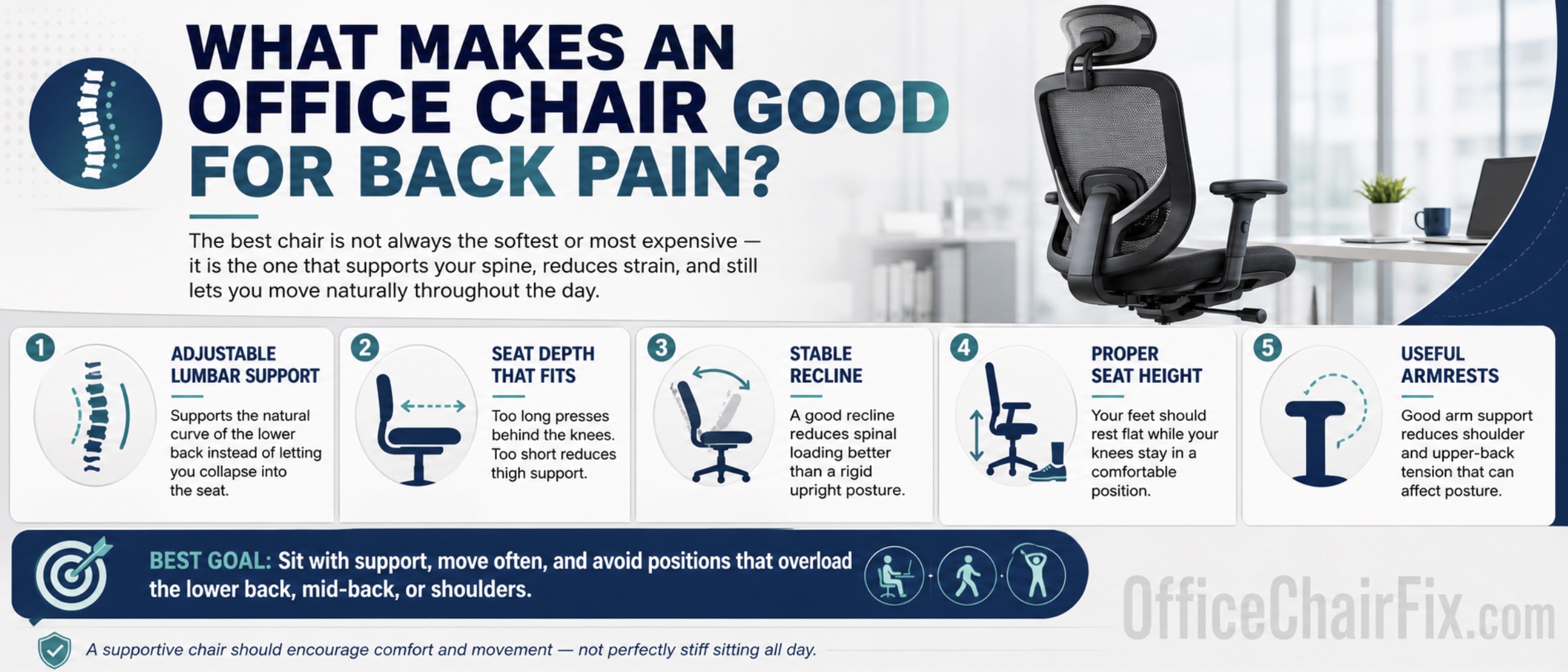
The best office chair for back pain is usually not the softest chair or the most expensive chair. It is the chair that supports your spine well enough to reduce strain while still letting you move naturally during the day.
The most important features are usually:
- Adjustable lumbar support: so the chair supports the natural curve of your lower back instead of forcing you to collapse into the seat.
- Seat depth that fits your legs: too long and it presses behind the knees; too short and it reduces thigh support.
- Stable recline: a good recline system reduces spinal loading better than a rigid upright chair.
- Proper seat height range: your feet should rest flat while your knees stay in a comfortable position.
- Useful armrests: good arm support reduces shoulder and upper-back tension that can spill into overall posture problems.
For most people with back pain, the goal is not to sit perfectly stiff all day. It is to sit with support, move often, and avoid positions that overload the lower back, mid-back, or shoulders.
What Usually Causes Back Pain in a Bad Office Chair?
A chair can trigger or worsen back pain for several reasons:
- The lumbar area is too flat or too aggressive.
- The seat is too deep or too shallow for your frame.
- The chair does not recline smoothly, so you stay too upright all day.
- The seat padding bottoms out or becomes uncomfortable.
- The armrests sit too high, too low, or too far apart.
- The chair wobbles or shifts, forcing your body to stabilize constantly.
If your current chair feels unstable as well as uncomfortable, read Why Your Office Chair Wobbles and How to Fix It Fast because looseness in the base or seat mechanism can absolutely contribute to poor posture and back strain.
Review Criteria: What Actually Matters in This Comparison
To keep this guide useful, this comparison focuses on factors that actually affect back comfort instead of just flashy features.
The biggest things worth comparing are:
- How good the lumbar support feels in real use.
- Whether the backrest supports movement or forces one rigid posture.
- How comfortable the seat remains after several hours.
- Whether the chair fits a range of body types.
- How adjustable the armrests, seat, and recline are.
- Whether the price makes sense for the level of support.
That means the best picks for back pain are usually chairs that balance support, fit, and adjustability—not just chairs with the biggest cushions or the most aggressive marketing claims.
Best Types of Office Chairs for Back Pain
Not every user needs the same chair style. In practice, the best options usually fall into a few clear categories.
1. Best for Most People: Adjustable Ergonomic Mesh Chairs
For many buyers, a breathable ergonomic mesh chair is the safest all-around starting point. A good mesh chair can provide solid lumbar support, better airflow, and a lighter feel during long workdays.
This type is often best for:
- People who work long hours at a desk.
- Users who overheat easily.
- Buyers who want modern ergonomics without an oversized executive-chair feel.
When comparing options in this category, browse ergonomic mesh office chairs with lumbar support and look for chairs with adjustable lumbar, seat height, recline tension, and armrests.
2. Best for Plush Comfort: Cushioned Ergonomic Chairs
Some people with back pain do better with a more cushioned chair, especially if they dislike the firmer suspended feel of mesh seats. A good cushioned ergonomic chair can feel more forgiving and more pressure-relieving at first sit.
This type is often best for:
- Users who prefer softness over a taut mesh feel.
- People who are sensitive to firm seat tension.
- Buyers who want a more traditional office-chair experience.
The key is to look for cushioning that supports rather than swallows you. Compare cushioned ergonomic office chairs with lumbar support rather than just shopping for the softest seat.
3. Best for Premium Support: High-End Ergonomic Chairs
If budget allows, premium ergonomic chairs are often worth considering for back pain because they usually offer better adjustment ranges, stronger recline systems, and more refined back support.
This type is often best for:
- People who sit full time for work.
- Users who need a chair to fit very precisely.
- Buyers who care about long-term comfort more than upfront cost.
This is the category where buyers often compare chairs inspired by premium brands and look through premium ergonomic office chair options or model-specific alternatives with strong lumbar and recline systems.
4. Best for Bigger Users: Big-and-Tall Ergonomic Chairs
A chair can be “ergonomic” on paper and still be terrible for back pain if it is too small for the user. Bigger users often need wider seats, taller backrests, stronger cylinders, and frames that do not flex excessively.
This type is often best for:
- Taller users.
- Heavier users.
- Anyone who feels cramped in standard office chairs.
If that sounds like you, compare big and tall ergonomic office chairs instead of forcing a standard chair to work.
Strong Office Chair Categories to Compare
If you want a more practical shopping shortcut, these are the chair categories and common product styles that make the most sense to compare when back pain is the main issue.
Best All-Around Pick for Back Pain
A fully adjustable ergonomic mesh chair with lumbar support is often the safest overall recommendation because it balances airflow, support, and long-session usability.
- Look for adjustable lumbar support.
- Prioritize seat depth and armrest adjustment if possible.
- Make sure the recline is usable, not just decorative.
A good starting point is to compare adjustable lumbar mesh office chairs with strong review history and clear adjustment specs.
Best Pick for Plush Support
If your back pain feels worse on firmer seats, a supportive cushioned ergonomic chair may suit you better.
- Look for high-density foam, not just thick foam.
- Avoid overly soft executive chairs with weak lumbar shaping.
- Choose chairs with tilt and recline controls, not just fixed backs.
A smart comparison set here is high-density foam ergonomic office chairs and executive ergonomic office chairs with lumbar support.
Best Pick for Tight Budgets
If you cannot spend premium-chair money, focus on getting the fundamentals right: lumbar support, recline, seat height, and stable construction.
- Do not pay extra just for flashy styling.
- Choose adjustment and support over decorative padding.
- Read dimensions carefully so the chair actually fits your body.
For this, compare budget ergonomic office chairs with lumbar support rather than generic “gaming” or “executive” listings with weak ergonomic details.
Best Pick for Home Office All-Day Use
For home office users who sit for long stretches, the best choice is often a mid-range ergonomic chair that combines lumbar support, breathable materials, and a recline you will actually use.
- Look for a chair that supports movement, not just upright sitting.
- Make sure the seat does not run too hot.
- Prioritize comfort after hours, not just first-sit softness.
Browsing home office ergonomic chairs for back pain is a good way to compare this middle ground.
What to Avoid if You Have Back Pain
A lot of chairs look comfortable online but are poor choices for back support.
Try to avoid:
- Chairs with no real lumbar support.
- Very soft executive chairs that flatten under you.
- Cheap mesh chairs with saggy unsupported seats.
- Rigid chairs with poor recline or no recline adjustment.
- Chairs with limited seat height or poor armrest positioning.
Back pain usually gets worse when a chair forces you into one bad position for too long.
Should You Fix Your Current Chair or Replace It?
Sometimes the answer is not buying a whole new chair. If your current chair is high quality but has worn parts, repairs may restore enough support to make it usable again.
That may be worth it when:
- The frame and mechanism are still solid.
- The issue is a worn gas lift, arms, base, or seat hardware.
- The chair originally fit you well and only recently became uncomfortable.
It is usually less worth it when:
- The chair was never supportive in the first place.
- The cushioning or mesh has failed badly.
- Multiple parts are worn at once.
- The chair is several years old and structurally tired.
If you are on the fence, How Often Should Office Chairs Be Replaced (How Long Do They Last?) can help you decide whether fixing your current setup still makes sense.

Lumbar Support Pillow for Office Chair, Office Home Essentials,Gifts for Mom,Dad, Back Support Pillow for Car, Chair Cushions,Back Pain Relief Improve Posture,Mesh Cover Double Adjustable Straps
TRALT Office Chair Ergonomic Desk Chair with Lumbar Support Black, 1 | 330 LBS Home Office Desk Chairs with Headrest, Reading Chair with Flip-up Armrests, Comfortable Computer Chairs Gaming Chair

Marsail Ergonomic Office Chair: Office Desk Chair with High Back Mesh and Adjustable Lumbar Support Rolling Work Swivel Task Chairs with Wheel 3D Armrests and Headrest
How to Choose the Best Chair for Your Specific Back Pain
The best chair is not the same for everyone. A few patterns can help narrow it down.
If your lower back is the main problem:
- Prioritize adjustable lumbar support and recline.
- Avoid flat-back chairs with weak lower-back contouring.
If you feel pressure in your hips and seat area:
- Pay close attention to seat cushioning, seat depth, and overall firmness.
- Avoid seats that bottom out or feel too hard at the front edge.
If upper-back and shoulder tension are part of the problem:
- Look for armrests that adjust correctly.
- Choose a backrest height and shape that encourages better posture.
If you alternate between upright work and leaning back:
- Prioritize a smooth, supportive recline instead of locking yourself bolt upright all day.
The better the chair matches your actual pain pattern, the more likely it is to help.
So, What Is the Best Office Chair for Back Pain?
If you want the most practical answer, the best office chair for back pain is usually an adjustable ergonomic chair with real lumbar support, a usable recline, a seat that fits your frame, and enough adjustment to let you fine-tune the posture instead of forcing one generic position.
For many people, that means a well-built ergonomic mesh chair is the best all-around answer. For others, especially those who dislike firmer seat tension, a supportive cushioned ergonomic chair is the better pick. Bigger users often need to start with big-and-tall ergonomic models rather than trying to make a standard-size chair work.
So the most useful summary is this:
- Best all-around: adjustable ergonomic mesh chair with lumbar support.
- Best for plush comfort: supportive cushioned ergonomic chair with high-density foam.
- Best for larger users: big-and-tall ergonomic chair with proper frame and seat dimensions.
- Best on a budget: a basic ergonomic chair with real lumbar and recline, not just soft padding.
Conclusion
The best office chairs for back pain are the ones that support your spine well, fit your body properly, and still feel comfortable after hours of real work. That usually means focusing less on flashy marketing and more on lumbar support, recline, seat fit, and overall stability.
If you want the safest place to start, compare ergonomic office chairs for back pain with clear adjustment features and realistic dimensions. If you prefer softness, compare cushioned ergonomic chairs with lumbar support. If your current chair is loose or worn, fix the structural issues first before assuming the whole chair is beyond help.
The best review is always the one your back gives after a full week of sitting in the chair—not just the one the product page promises.

HYEJDRV Heavy Duty 500LBs Office Chair Tilt Control Mechanism Replacement Parts, Office Chair Swivel Tilt Base W/6" x 10.2" Mounting Holes - Black

Omyoffice 5.5” Office Chair Gas Lift Cylinder Replacement, Class 4 Piston | Heavy-Duty 1000 lbs, Hydraulic Pneumatic Gas Lift, Universal Fit Most Executive Gaming Desk Chairs, Black
