
Buying a used Razer Fujin Pro can save you serious money, but it is still a premium mesh gaming chair, so you need to inspect it carefully. This guide covers prices, online marketplaces, seller questions, authenticity checks, and the used-chair problems you should avoid.
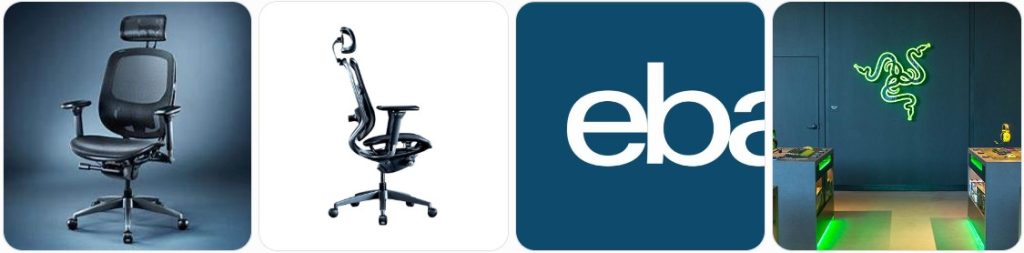
Is a Used/Refurbished Razer Fujin Pro Worth Buying?
A used or refurbished Razer Fujin Pro can be worth buying if you want a premium mesh gaming chair with a more breathable feel than traditional padded gaming chairs. The Fujin Pro is not just a basic racing-style chair with a thick cushion and synthetic leather. It uses a suspended mesh seat and back, an aluminum alloy frame, 4D padded armrests, adjustable lumbar support, a 3D contoured headrest, and synchro-tilt reclining.
The biggest reason to buy one used is price. The Razer Fujin Pro is one of Razer’s higher-end chairs, so even a moderate discount can make a big difference. A clean used chair from a private seller, open-box return, or local marketplace can sometimes offer premium features for far less than buying new.
It is especially worth considering if you specifically want the Fujin Pro’s mesh design. The mesh seat and back are intended to help with airflow during long gaming or work sessions, which is different from Razer’s foam-and-leatherette chairs like the Iskur or Enki. If you dislike warm, padded gaming chairs, the Fujin Pro can be a better match.
A used Fujin Pro also makes sense if the chair has all of its major parts intact. The headrest, lumbar system, 4D armrests, recline mechanism, aluminum frame, wheelbase, casters, gas cylinder, and mesh should all be present and working properly. Missing or damaged parts can be expensive or difficult to replace, especially because the Fujin Pro is a newer and more specialized model than many common office chairs.
However, you should be careful with heavily used examples. Mesh chairs can look clean in photos while still having stretched mesh, weakened tension, sagging seat support, frayed edges, scratches on the aluminum frame, loose armrests, or a worn recline mechanism. Because the Fujin Pro relies on mesh support rather than thick foam, damaged mesh is a much bigger issue than a small scuff.
A refurbished Razer Fujin Pro may be a better choice than an ordinary used one if the seller has tested every adjustment, cleaned the mesh, tightened the frame, inspected the headrest and lumbar system, checked the recline tension, and replaced worn casters or arm pads. Before paying a higher refurbished price, ask exactly what was inspected, cleaned, repaired, or replaced.
A used or refurbished Fujin Pro is usually worth buying when the discount is meaningful, the chair is authentic, all adjustments work, the mesh is still firm, and the seller offers clear photos or a return policy. It is not worth buying when the price is close to new, the seller hides the serial number, the mesh is sagging, the frame is cracked, or the chair is missing key components.
Used vs Refurbished Razer Fujin Pro: What Is the Difference?
A used Razer Fujin Pro is normally sold in its current condition. It may come from a gamer, home-office user, office setup, product return, or local seller. The seller might clean it before listing it, but a used chair has not necessarily been professionally tested or repaired.
A used Fujin Pro may still be in excellent shape if it was lightly used, but it may also have hidden issues. Common things to check include stretched mesh, loose armrests, scratched aluminum, noisy recline movement, a weak gas cylinder, worn casters, missing assembly hardware, or damage around the lumbar and headrest adjustment areas.
A refurbished Razer Fujin Pro should have received some level of inspection, cleaning, and restoration before resale. Depending on the seller, refurbishment may include deep-cleaning the mesh, tightening bolts, testing the tilt mechanism, checking the lumbar support, testing the 4D armrests, inspecting the headrest, replacing casters, replacing arm pads, or confirming that the gas cylinder holds height properly.
The important thing is that “refurbished” does not always mean the same thing from every seller. One seller may fully inspect and restore the chair, while another may simply wipe it down and relist it. Ask for a clear refurbishment checklist before paying more for a refurbished listing.
An open-box Fujin Pro is different from both. It may have been returned shortly after purchase, opened but never fully used, damaged in packaging, or sold with box wear. Open-box can be a good deal when all parts are included, but you still need to confirm that the mesh, frame, recline, headrest, lumbar support, armrests, and casters are undamaged.
How Much Does a Used or Refurbished Razer Fujin Pro Cost?
The price of a used or refurbished Razer Fujin Pro depends on condition, age, warranty status, seller reputation, shipping cost, included parts, and whether it is used, open-box, or professionally refurbished. Because the Fujin Pro is a premium chair, prices can vary widely.
A realistic price guide is:
- $350–$500: Usually a used Fujin Pro from a local private seller, possibly with light cosmetic wear, no original box, and limited or no warranty. This price range can be a good deal if the chair is complete and fully functional.
- $500–$650: Common for cleaner used or open-box Fujin Pro listings with better photos, fewer visible marks, and possibly some remaining proof of purchase. At this level, the mesh and adjustments should be in very good condition.
- $650–$800: Often seen for open-box, lightly used, or seller-refurbished models with shipping included, stronger seller ratings, and some type of return policy or short warranty.
- $800 or more: Usually only worth considering if the chair is nearly new, includes original packaging, has proof of purchase, comes from a reputable seller, and is still meaningfully cheaper than buying new.
The final delivered price matters more than the listing price. A chair listed cheaply can become expensive once shipping, tax, and return risk are added. The Fujin Pro is large and heavy, so shipping can cost a lot if it is not included.
Before buying, compare the used price with the current price of a Razer Fujin Pro on Amazon. Also compare it with similar mesh chair searches like mesh gaming chairs, ergonomic mesh office chairs with headrests, and office chair replacement casters if the used chair needs parts.
Also ask whether the chair includes the original box, assembly guide, tools, bolts, headrest, armrests, casters, and documentation. A missing headrest or damaged armrest can lower the value significantly. A Fujin Pro without all of its original parts should not be priced like a complete chair.
Where to Buy a Used or Refurbished Razer Fujin Pro Online
eBay is one of the better places to look for a used, open-box, or refurbished Razer Fujin Pro because you can search nationwide and compare listings from individual sellers, electronics resellers, open-box sellers, and liquidation accounts.
Search using several phrases, including “Razer Fujin Pro,” “Razer Fujin Pro chair,” “Razer Fujin Pro mesh chair,” “Razer Fujin Pro open box,” and “Razer Fujin Pro refurbished.” Some sellers may list it simply as a Razer gaming chair or mesh gaming chair, so broader searches can help you find listings that are not perfectly titled.
When buying from eBay, look closely at the condition field. “Used,” “Open Box,” “Seller Refurbished,” and “For Parts or Not Working” can mean very different things. Avoid listings marked for parts unless you are intentionally buying components.
Read the full description and do not rely only on the title. A listing may mention small issues such as missing screws, cosmetic scratches, damaged packaging, a loose armrest, scuffed aluminum, or a headrest problem. These details matter because the Fujin Pro has several adjustable components that should work smoothly.
Photos are extremely important. The listing should show the actual chair from the front, back, side, underneath, base, casters, headrest, armrests, lumbar area, mesh seat, and mesh back. Stock photos alone are not enough for a used Fujin Pro because they do not show mesh tension, scratches, stains, missing parts, or previous repairs.
Check seller feedback carefully. A seller who regularly handles large chairs, gaming gear, open-box furniture, or refurbished products is usually safer than a random listing with vague photos. Pay special attention to feedback about packaging and item condition.
Ask whether the chair will ship fully assembled, partially disassembled, or completely disassembled. If it is disassembled, confirm that every bolt, washer, caster, knob, arm component, headrest part, and instruction sheet is included. Poor disassembly can damage the gas cylinder, seat pan, frame, or tilt mechanism.
Also review the return policy. Returning a large chair can be expensive, and some sellers may require the buyer to pay return shipping. A slightly higher-priced listing with free returns or strong buyer protection may be safer than a cheaper listing with no returns.
Other Online Websites/Marketplace for Used/Refurbished Razer Fujin Pro
- Facebook Marketplace: This can be one of the best places to find a used Razer Fujin Pro locally. Search for “Razer Fujin Pro,” “Razer mesh chair,” and “Razer gaming chair.” Local pickup lets you sit in the chair, test the headrest, check the 4D arms, inspect the mesh, and avoid expensive shipping.
- OfferUp: OfferUp is useful for local secondhand listings, especially if someone is moving, upgrading their setup, or selling a full gaming desk setup. Ask for current photos and test the chair in person before paying.
- Mercari: Mercari may occasionally have used or open-box Razer Fujin Pro listings. Check shipping fees carefully because large chairs can be expensive to ship. Ask whether the chair shown in the photos is the exact unit being shipped.
- Craigslist: Craigslist can have private local deals, but buyer protection is limited. Search for both “Razer Fujin Pro” and broader phrases like “Razer chair” or “mesh gaming chair.” Avoid deposits and inspect the chair before payment.
- Amazon Used/Open-Box Offers: Check Amazon listings for used, open-box, or returned offers when available. Compare the condition notes, seller rating, return eligibility, and final price with a new Razer Fujin Pro search.
Used or Refurbished Razer Fujin Pro: Buying Tips & What to Avoid
- Confirm it is the Pro model: Do not confuse the Razer Fujin Pro with the standard Razer Fujin. The Pro uses an aluminum alloy frame, includes a 3D contoured headrest, has 4D padded armrests, and has height and depth adjustable lumbar support. The standard Fujin has different features.
- Ask for the serial number or product label: Request a photo of the label or serial number area. A genuine Fujin Pro should have Razer product identification. Do not buy from a seller who refuses to show any identifying details.
- Compare with the official product photos: Look at the frame shape, headrest, armrests, lumbar system, mesh pattern, wheelbase, and control layout. If the chair looks different from the official Fujin Pro, ask more questions before buying.
- Check the aluminum alloy frame: Inspect the frame, arm support structure, and wheelbase for cracks, deep dents, bending, heavy scratches, or signs of impact. Cosmetic scuffs are common, but structural damage should be avoided.
- Inspect the mesh seat: The seat mesh should feel supportive, not saggy or loose. Look for stretching, holes, fraying, cuts, stains, pulled threads, or weak spots. Damaged mesh is one of the biggest deal-breakers on a Fujin Pro.
- Inspect the mesh backrest: Check the back mesh for tension, even support, tears, discoloration, and damaged edges. The Fujin Pro depends on the back mesh for support, so avoid chairs with stretched or uneven back panels.
- Test the 2D lumbar support: The lumbar system should adjust in height and depth. Move it through its full range and confirm that it stays in place. Avoid a chair with a cracked, stuck, missing, or loose lumbar mechanism.
- Test the 3D headrest: The headrest should adjust by height, depth, and tilt. It should not droop, rattle excessively, or slide down during use. A missing or broken headrest should reduce the value significantly.
- Test the 4D armrests: Move the armrests up and down, forward and backward, side to side, and through their pivot range. They should move smoothly and hold their selected positions. Loose, jammed, or cracked armrests are a warning sign.
- Check the arm pads: Inspect for peeling, cracking, flattening, stickiness, missing padding, or deep impressions. Arm pads are high-contact parts and can show heavy use even when the rest of the chair looks clean.
- Test the synchro-tilt recline: Recline slowly and check that the backrest and seat move together smoothly. The motion should feel controlled, not loose or jerky. Listen for grinding, popping, or metal-on-metal sounds.
- Check the tilt-tension control: Adjust the tension from lighter to firmer settings and recline after each change. You should feel a difference. A tension control that spins without changing resistance may indicate a mechanism problem.
- Test the recline lock or position control: If the chair is supposed to hold a recline position, make sure it does not slip unexpectedly. Sudden slipping can be unsafe and may be difficult to repair.
- Test the gas cylinder: Raise the chair to its highest point, sit in it for several minutes, and confirm that it does not sink. A sinking cylinder lowers the chair’s value because replacement can be difficult and may require tools.
- Check the seat height range: Make sure the chair raises and lowers smoothly enough for your desk height. A premium chair is not a good deal if it cannot sit at the right working height for your setup.
- Inspect the wheelbase: Look around each leg and caster socket for cracks, heavy gouges, bends, or repaired areas. The base supports the user’s weight, so avoid anything that looks structurally compromised.
- Test all casters: Roll the chair forward, backward, and sideways. Each caster should rotate and swivel freely. If the wheels are noisy or rough, factor in the cost of compatible office chair replacement wheels.
- Check for missing hardware: If the chair was disassembled, ask for photos of all bolts, washers, knobs, casters, headrest parts, armrest components, and frame pieces. Missing hardware can make reassembly difficult.
- Ask for the original receipt: Proof of purchase helps confirm where the chair came from, when it was bought, and whether any warranty discussion is realistic. Do not assume warranty coverage transfers to a second owner.
- Ask about warranty status: Razer’s warranty terms may depend on purchase channel, region, proof of purchase, and original buyer status. A used chair should be valued as having no manufacturer warranty unless coverage is clearly confirmed.
- Ask how long it was used: Find out whether the chair was used daily for work and gaming or only occasionally. Heavy daily use can affect the mesh tension, armrests, recline mechanism, and cylinder.
- Ask why the seller is selling it: A normal answer like moving, upgrading, or changing setup is fine. Be more cautious if the seller avoids the question or gives inconsistent information.
- Ask about pets, smoke, and spills: Mesh can trap dust, hair, odor, and residue. Confirm whether the chair came from a smoke-free home and whether pets or spills were involved.
- Ask how it was cleaned: Razer recommends gentle cleaning with a soft or microfiber cloth and warm water. Avoid chairs that were cleaned with harsh chemicals, soap, abrasives, or strong cleaners that may damage the mesh or surfaces.
- Request a current video: Ask the seller to demonstrate the headrest, lumbar support, armrests, seat height, recline, tilt tension, and rolling movement. This is especially helpful for shipped purchases.
- Check assembly quality: Make sure the bolts, screws, and knobs are secure. Loose assembly can cause wobble, noise, or unsafe movement. Razer’s guide recommends checking fasteners periodically, so neglect can show up on older used chairs.
- Check for direct sunlight damage: Long exposure to heat or sunlight can fade materials and weaken surfaces. Look for uneven color, brittle parts, or dried-out surfaces, especially if the chair was near a window.
- Check for sharp-object or pet damage: Mesh can be damaged by claws, tools, keys, and sharp desk accessories. Small cuts can expand over time, so inspect both the seat and backrest closely.
- Do not pay near-new pricing for a used chair: If the chair costs almost the same as a new one, buying used usually does not make sense unless it includes strong seller protection, original packaging, proof of purchase, and excellent condition.
- Avoid stock-photo-only listings: Stock images do not show real mesh condition, frame scratches, missing headrest parts, loose armrests, or stains. Ask for current photos of the exact chair.
- Avoid chairs with sagging mesh: Mesh support is central to the Fujin Pro. A sagging seat or backrest can make the chair uncomfortable and may be expensive or impractical to repair.
- Avoid broken headrest listings unless heavily discounted: The headrest is one of the Pro model’s major features. A missing, cracked, or unstable headrest should lower the value significantly.
- Avoid unknown refurbishers with vague claims: “Refurbished” should come with details. Ask what was tested, cleaned, repaired, and replaced. If the seller cannot explain the refurbishment, treat it like a regular used chair.
- Avoid off-platform payments: Keep payments inside eBay, Mercari, Facebook Marketplace checkout, or another platform with some buyer protection. Do not send gift cards, wire transfers, cryptocurrency, or off-platform deposits.

Razer Fujin Mesh Ergonomic Gaming Chair, Ultra-Durable & Breathable | 130 Degree Recline, Adjustable Lumbar Support, 3D Padded Armrests, Premium Frame, Sturdy Build

Razer Iskur V2 X Ergonomic Gaming Chair, Black | Built-In Lumbar Support, Wide Seat, High Density Foam Cushions, Adjustable 152 Degree Recline, 2D Armrests, Plush Fabric

Razer Basilisk V3 Pro 35K Wireless Gaming Mouse, Phantom White | HyperScroll Tilt Wheel, 35K DPI Optical Sensor Gen 2, 13 Customizable Controls, RGB, Optical Switches Gen 3, 140 Hr Battery
Used vs New Razer Fujin Pro
A used Razer Fujin Pro is mainly attractive because of the savings. You may get the same premium mesh design, aluminum frame, headrest, lumbar support, 4D armrests, and recline system for far less than the new-chair price. If you can inspect it locally and the chair is clean, complete, and fully functional, used can be a very good deal.
The downside is uncertainty. You do not always know how the chair was used, whether the mesh has lost tension, whether the gas cylinder is beginning to fail, whether the headrest was forced, or whether the armrests have hidden damage. You also may not get the same warranty protection as the original buyer.
A refurbished Razer Fujin Pro can be a middle-ground option. It may cost more than an ordinary used chair, but a good refurbisher should inspect the mesh, frame, headrest, lumbar support, armrests, cylinder, tilt mechanism, and casters. The value depends on the quality of the refurbishment and the seller’s return policy.
A new Razer Fujin Pro is the safest option if you want a fresh chair, full product documentation, direct retailer support, original packaging, and the clearest warranty path. Buying new also avoids concerns about previous wear, cleaning history, missing parts, and hidden damage.
Used is best when the discount is large and you can inspect the chair. Refurbished is best when the seller provides a clear checklist and warranty. New is best when you want the least risk and plan to use the chair heavily for years.
Razer Fujin Pro Used/Refurbished FAQ
Is a used Razer Fujin Pro worth buying?
Yes, it can be worth buying if the mesh is firm, the frame is undamaged, the headrest is included, the lumbar support works, the 4D armrests are secure, and the price is meaningfully lower than new. Avoid used listings with sagging mesh, broken controls, or missing parts.
How can I tell if it is the Razer Fujin Pro and not the regular Fujin?
Check for the Pro features: aluminum alloy frame, included 3D contoured headrest, 4D padded armrests, and height/depth adjustable lumbar support. The standard Fujin has different specifications, so compare photos carefully and request the product label or serial information.
What is a fair used price for a Razer Fujin Pro?
A fair used price depends on condition, shipping, warranty status, and whether it is local pickup or shipped. Many used or open-box listings may fall roughly between $350 and $800, but you should compare the final delivered price with the current new-chair price before buying.
Should I buy a refurbished Razer Fujin Pro?
A refurbished Fujin Pro can be a good option if the seller clearly explains what was inspected, cleaned, repaired, or replaced. It is less appealing when the seller only says “refurbished” without showing a checklist, warranty, return policy, or actual photos.
Does the Razer Fujin Pro warranty transfer to a second owner?
Do not assume the warranty transfers. Warranty coverage may depend on the original purchaser, region, proof of purchase, seller, and purchase channel. Ask for the original receipt and verify warranty eligibility with Razer before treating it as part of the chair’s value.
What should I check first on a used Razer Fujin Pro?
Check the mesh seat, mesh back, aluminum frame, headrest, lumbar support, 4D armrests, gas cylinder, recline system, tilt tension, wheelbase, casters, and all hardware. The mesh and adjustable components are especially important on this model.
Is sagging mesh a deal-breaker?
Usually, yes. The Fujin Pro depends on mesh tension for comfort and support. If the seat or back mesh is sagging, stretched, torn, or uneven, the chair may not feel right and repair options may be limited or expensive.
Can the Razer Fujin Pro headrest be replaced?
It may be possible if Razer or a parts seller can supply the correct component, but you should not assume availability. Because the 3D headrest is a major Pro feature, a missing or broken headrest should significantly reduce the used price.
Are the Razer Fujin Pro armrests important to inspect?
Yes. The Pro model uses 4D padded armrests, so both sides should adjust up/down, forward/backward, side-to-side, and pivot properly. Loose, cracked, jammed, or uneven armrests can make the chair frustrating to use.
What photos should I ask the seller for?
Ask for photos of the front, back, side, underside, serial label, headrest, lumbar support, armrests, mesh seat, mesh back, frame, base, casters, controls, and any scratches, stains, tears, or damaged areas.
Should I buy a Razer Fujin Pro without the original box?
Yes, if the chair is local pickup or already assembled and complete. For shipping, the original box can help protect the chair. Without it, ask how the seller will protect the mesh, frame, headrest, arms, and base during delivery.
Is local pickup better than shipping?
Local pickup is usually safer because you can sit in the chair, test every adjustment, inspect the mesh, check for odors, and avoid shipping damage. Shipping can still work if the seller has strong packaging, clear photos, and a good return policy.
Can I replace the casters on a Razer Fujin Pro?
Casters may be replaceable, but you should confirm the stem size and compatibility before ordering replacements. If the wheels are worn but the base is undamaged, replacement casters may be a reasonable fix.
What does open-box Razer Fujin Pro usually mean?
Open-box can mean the chair was returned, opened but not heavily used, displayed, or sold with damaged packaging. Always ask whether it was assembled, whether all parts are included, and whether the mesh or frame has any damage.
What should I avoid when buying a used Razer Fujin Pro online?
Avoid stock-photo-only listings, sagging mesh, cracked frames, missing headrests, broken lumbar support, loose armrests, sinking cylinders, vague refurbished claims, no-return listings with high shipping costs, and sellers who refuse to provide current photos or serial information.
A used or refurbished Razer Fujin Pro can be a great buy if you want a premium breathable mesh gaming chair for less money. Just make sure it is the Pro model, not the regular Fujin, and inspect the mesh, headrest, lumbar support, 4D arms, frame, recline, and cylinder carefully. If the discount is small or the condition is unclear, buying new is usually safer.

HYEJDRV Heavy Duty 500LBs Office Chair Tilt Control Mechanism Replacement Parts, Office Chair Swivel Tilt Base W/6" x 10.2" Mounting Holes - Black

Omyoffice 5.5” Office Chair Gas Lift Cylinder Replacement, Class 4 Piston | Heavy-Duty 1000 lbs, Hydraulic Pneumatic Gas Lift, Universal Fit Most Executive Gaming Desk Chairs, Black
